Vehicles#
ACRES has two vehicles: the Polaris Ranger utility vehicle and the Case IH Maxxum 150 tractor. Drive them by hand, from a program, or several at the same time.
Before you start
Package the game. Refer to Build the Game. ACRES Core and acres_simulator have the Polaris only.
The Two Vehicles#
| Polaris Ranger | Maxxum 150 | |
|---|---|---|
| Use | Scouting, transport, the drive-by-wire research platform | Field work with implements |
| Mass | 1233 kg with one person | 5820 kg |
| Drive | CVT, two ranges (high, low), AWD | 16-speed powershift, PTO, three-point hitch |
| Control from a program | Drive-by-wire messages (ds_dbw_msgs): steering, throttle, brake, gear, ULC speed control |
Steering, pedal, brake, gear and implement commands |
| Sensors | Helios LiDAR, front camera, GNSS, IMU, INS, CAN | Camera, LiDAR, GNSS, IMU, CAN |
| In ACRES Core | Yes | No |
The Polaris and Maxxum model pages give the physics of each vehicle.
Drive by Hand#
The vehicle starts at the ICSC garage. The panel at the top left of the HUD shows the main keys. Hold Tab for all keys.
| Action | Polaris | Maxxum |
|---|---|---|
| Throttle, brake, steer | W, S, A D | W, S, A D |
| Gear | [ ]: lever P-R-N-H-L | [ ]: gear 1 to 16 |
| Reverse | V: reverse or low range | V: forward or reverse |
| Drive-by-wire on or off | F3 | No drive-by-wire |
| Hand throttle, park brake | = -, P | |
| Cab view or chase view | C | C |
| Site map | M | M |
| Pause menu | Esc | Esc |
Keyboard and Mouse Controls gives every key.
The start place is a named place of ACRE/places.json. -SpawnAt=<place> selects a different place. -VehicleSpawnU=, -VehicleSpawnV= and -VehicleSpawnYaw= give a cell of the survey grid and a heading.
Drive from a Program#
Each vehicle can have a vehicle bridge: a TCP socket that sends observations and receives commands, one JSON object on each line. The Polaris takes the drive-by-wire messages of the real vehicle.
-
Start the game with a bridge on port 5555. The spawn options put the Polaris on the central farm road, heading west.
-
Write the client
polaris_client.py.polaris_client.py"""Drive the Polaris of the game through its vehicle bridge: hold 2 m/s and turn left for 15 s.""" import json import socket import threading import time sock = socket.create_connection(("127.0.0.1", 5555)) stream = sock.makefile("rw") latest = {} def read_messages(): """Read each line. The game sends observations and drive-by-wire reports. Read them all, all the time.""" for line in stream: message = json.loads(line) latest["report" if message.get("type") == "dbw_report" else "observation"] = message def send(message): stream.write(json.dumps(message) + "\n") stream.flush() threading.Thread(target=read_messages, daemon=True).start() time.sleep(1.0) first = latest["observation"] send({"dbw": {"enable": True}}) time.sleep(0.2) send({"gear_cmd": {"cmd": 5}}) # 5: low gear. The lever starts in park. start = time.monotonic() while time.monotonic() - start < 15.0: # 20 Hz send({"ulc_cmd": {"cmd": 2.0, "cmd_type": 1, "enable": True}, # 2 m/s "steering_cmd": {"cmd": 0.05, "cmd_type": 3, "enable": True}}) # 0.05 1/m to the left time.sleep(0.05) last = latest["observation"] distance = ((last["x"] - first["x"]) ** 2 + (last["y"] - first["y"]) ** 2) ** 0.5 left = -((last["yaw_deg"] - first["yaw_deg"] + 180.0) % 360.0 - 180.0) # the bridge yaw increases to the right print(f"after 15 s: {distance:.1f} m from the start, {left:.0f} deg to the left, speed {last['vx']:.2f} m/s") send({"ulc_cmd": {"cmd": 0.0, "cmd_type": 1, "enable": True}}) -
Run the client while the game runs.
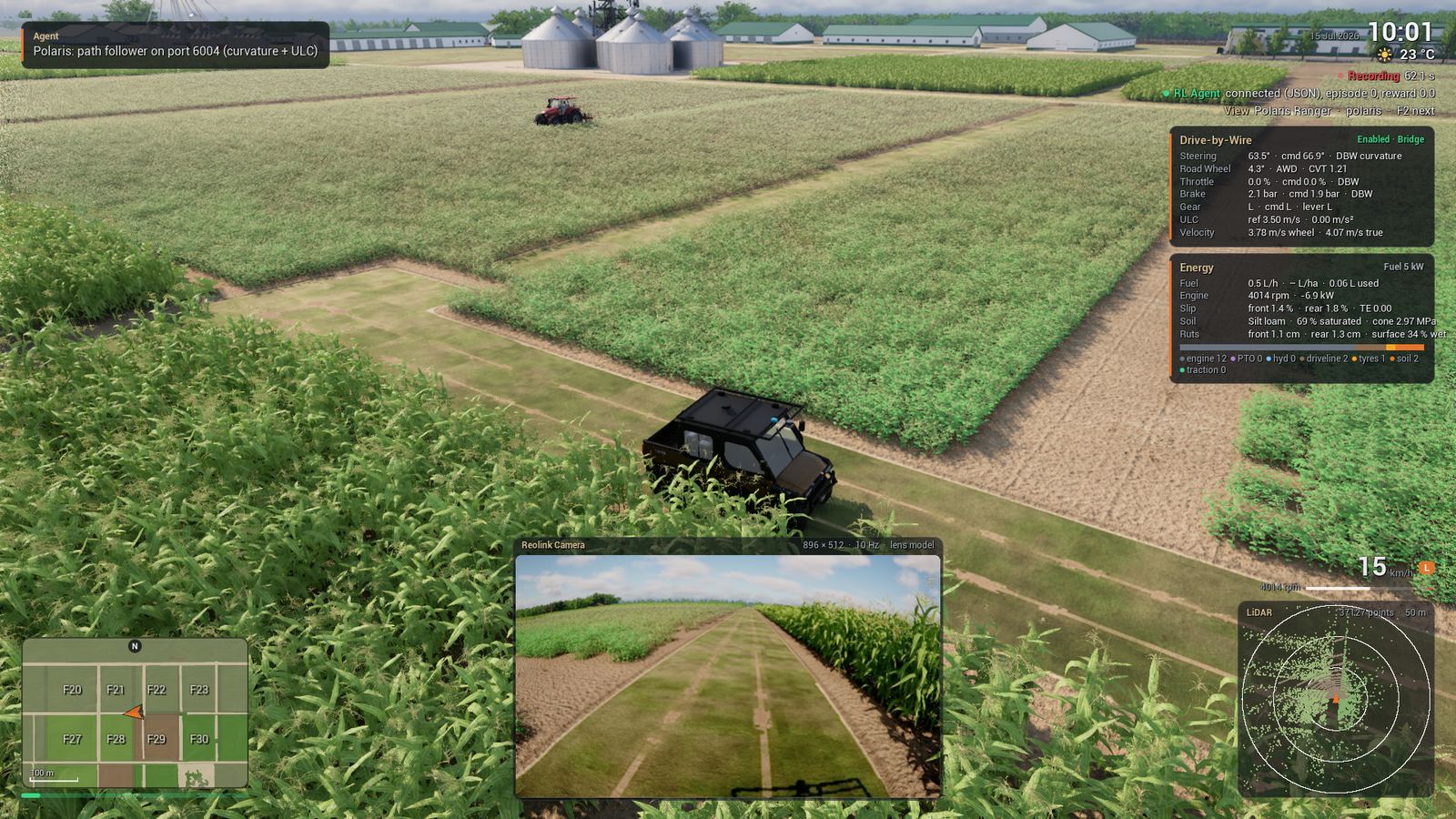
Read all messages
The game sends approximately 70 messages each second. Read them all the time, as the thread of the example does. A client that does not read stops the drive.
The bridge uses the Unreal frame: x east, y south, and a yaw that increases to the right. A key on the keyboard is a driver override: it turns the drive-by-wire off until the next enable. The Vehicle Bridge reference gives each message. For exact, repeatable timing, use Lockstep Stepping.
Run Several Vehicles#
A session can have 8 vehicles. All vehicles share the world, the farm and the weather.
-
Start the Maxxum and the Polaris, each with its own bridge port.
Packaged/Linux/Acres.sh -VehicleDemo -Vehicles=maxxum,polaris -RlPorts=5555,5556 \
    -SessionLog -VehicleOutput=$PWD/two
Expected result
The Polaris starts 7 m to the side of the Maxxum. The log has one line for each vehicle.
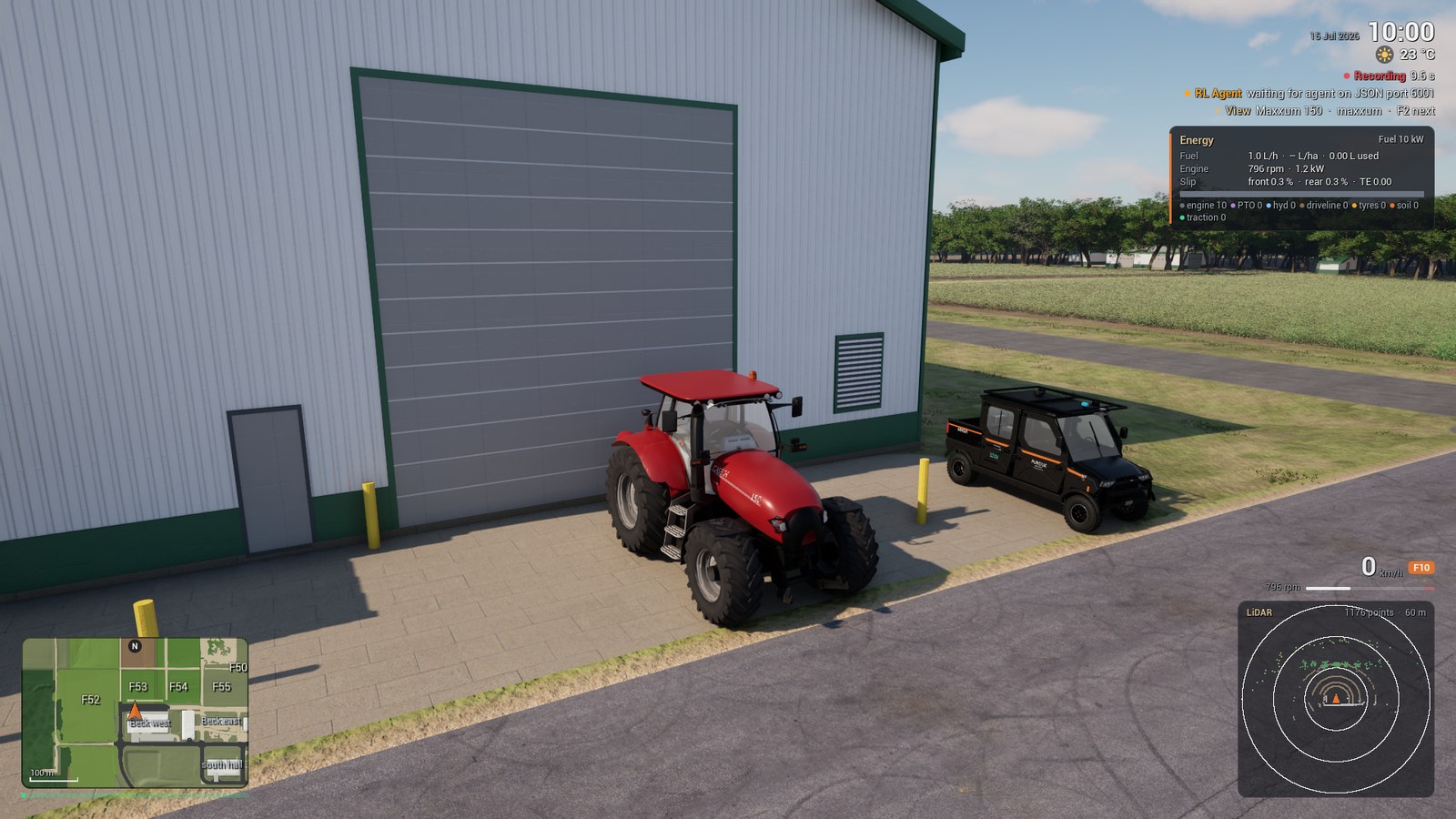
- Push F2 to go to the next vehicle. The keyboard, the camera and the HUD follow. The vehicle that you leave holds its brake.
The session folder has one folder for each vehicle: two/maxxum and two/polaris, each with its tractor.csv and session-summary.json. The Polaris folder also has dbw.csv. The farm files stay in two.
An entry of -Vehicles= can give a pose: polaris@533:470:-90 (survey cell and yaw), or polaris@utm:500577.5:4480144.6:0 (UTM zone 16N and heading).
Use an Agents File#
-Agents=<file> gives each vehicle its own settings. Write the file agents.json:
{"agents": [
  {"name": "tractor", "vehicle": "maxxum", "implement": "chisel_plow", "spawn": [625, 477, 180],
   "rl_port": 5555},
  {"name": "scout", "vehicle": "polaris", "finish": "desert_tan", "rl_port": 5556,
   "drive_script": "/data/polaris-drive.json", "sensor_record": true}
]}
| Key | Function |
|---|---|
name, vehicle |
The name in the logs and the HUD, and maxxum or polaris |
spawn, utm, utm_frame |
The start pose: a survey cell and yaw, or UTM zone 16N in nad83_2011 or wgs84 |
implement, gear, finish |
The implement and the start gear of the Maxxum, the paint of the Polaris |
rl_port, sensor_stream, can_udp |
The ports of the bridge, the sensor stream and the CAN frames |
drive_script, replay_file, replay_mode |
A drive script or a replay for this vehicle |
sensor_record, sensor_overlay |
Records the sensors of this vehicle. Changes values of the sensor file for this vehicle. |
Next Steps#
-
Attach a plow, a drill, a sprayer, a loader or a baler to the Maxxum.
-
The sensors of each vehicle and their settings.
-
Step the game from a client.